08 Chat and Langfuse
Run the in-app AI chat and verify its trace, tokens, latency, and cost in Langfuse.
Outcome
In about 15 minutes, the app will answer a data question and Langfuse will show the
complete model trace. Start only after Module 07 is recovered and
git branch --show-current returns build-workshop-v1.
Step 1 — Verify the keys
Confirm these fields are filled in workshops/build_workshop/app/.env.workshop. The
Langfuse URL must match your project region.
OPENAI_API_KEY=sk-...
LLM_MODEL=<model from the template>
LLM_BASE_URL=https://api.openai.com/v1
LANGFUSE_PUBLIC_KEY=pk-lf-...
LANGFUSE_SECRET_KEY=sk-lf-...
LANGFUSE_BASE_URL=https://us.cloud.langfuse.com
Restart only the instrumented backend:
cd "$(git rev-parse --show-toplevel)/workshops/build_workshop/app"
docker compose --env-file .env.workshop \
  -f docker-compose.workshop.yml \
  -f docker-compose.otel.yml \
  up -d --build backend
Verify it is healthy:
docker compose --env-file .env.workshop \
  -f docker-compose.workshop.yml \
  -f docker-compose.otel.yml \
  ps backend
Step 2 — Ask one testable question
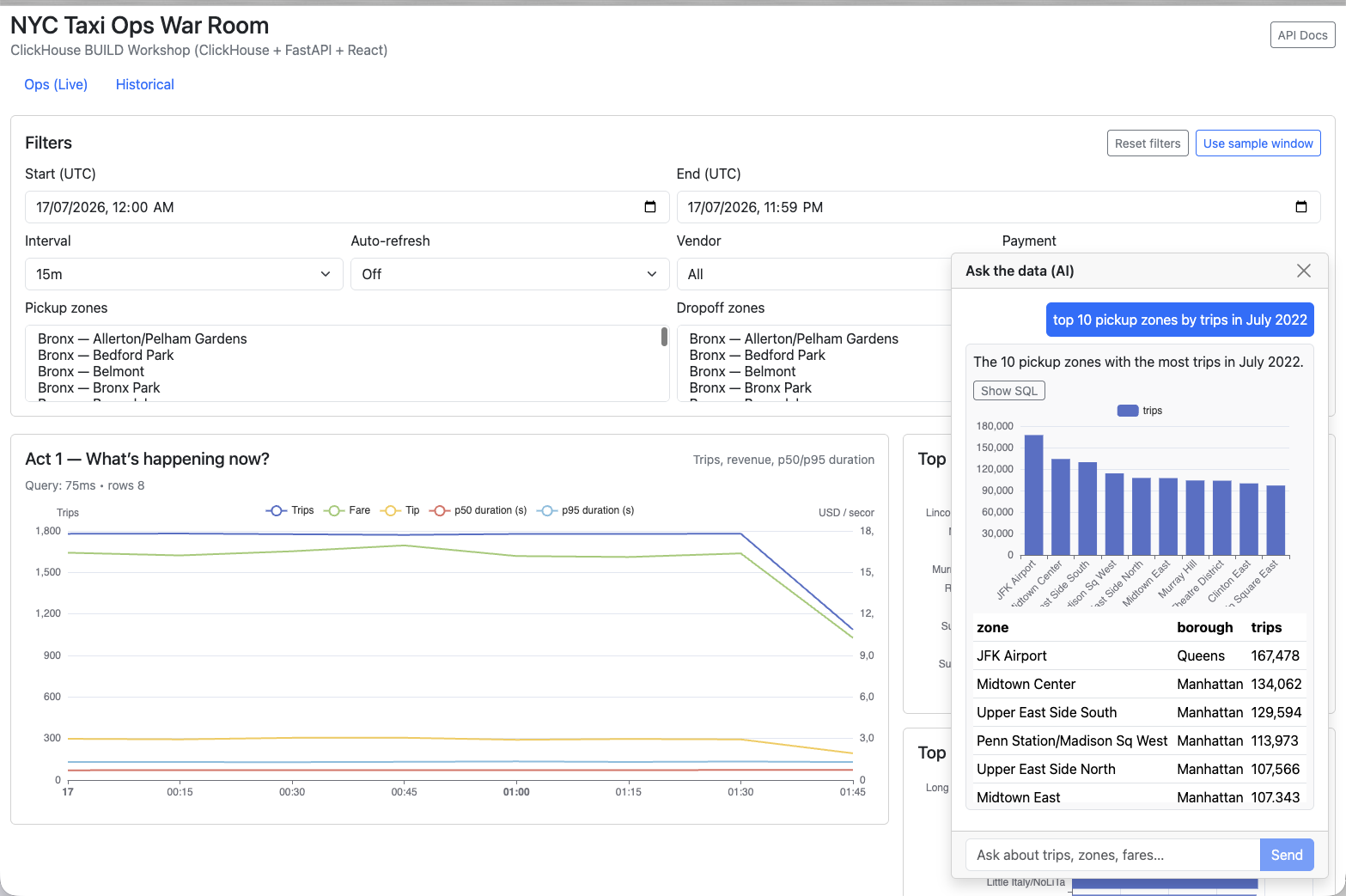
Open localhost:8080, select Ask AI, and enter:
What are the top 10 pickup zones by trip count in July 2022?
Show the SQL and the result.
Expected: an answer, result table or chart, and a Show SQL control. Read the generated
SQL and confirm it queries nyc_tlc_data before trusting the answer.
Step 3 — Find the matching Langfuse trace
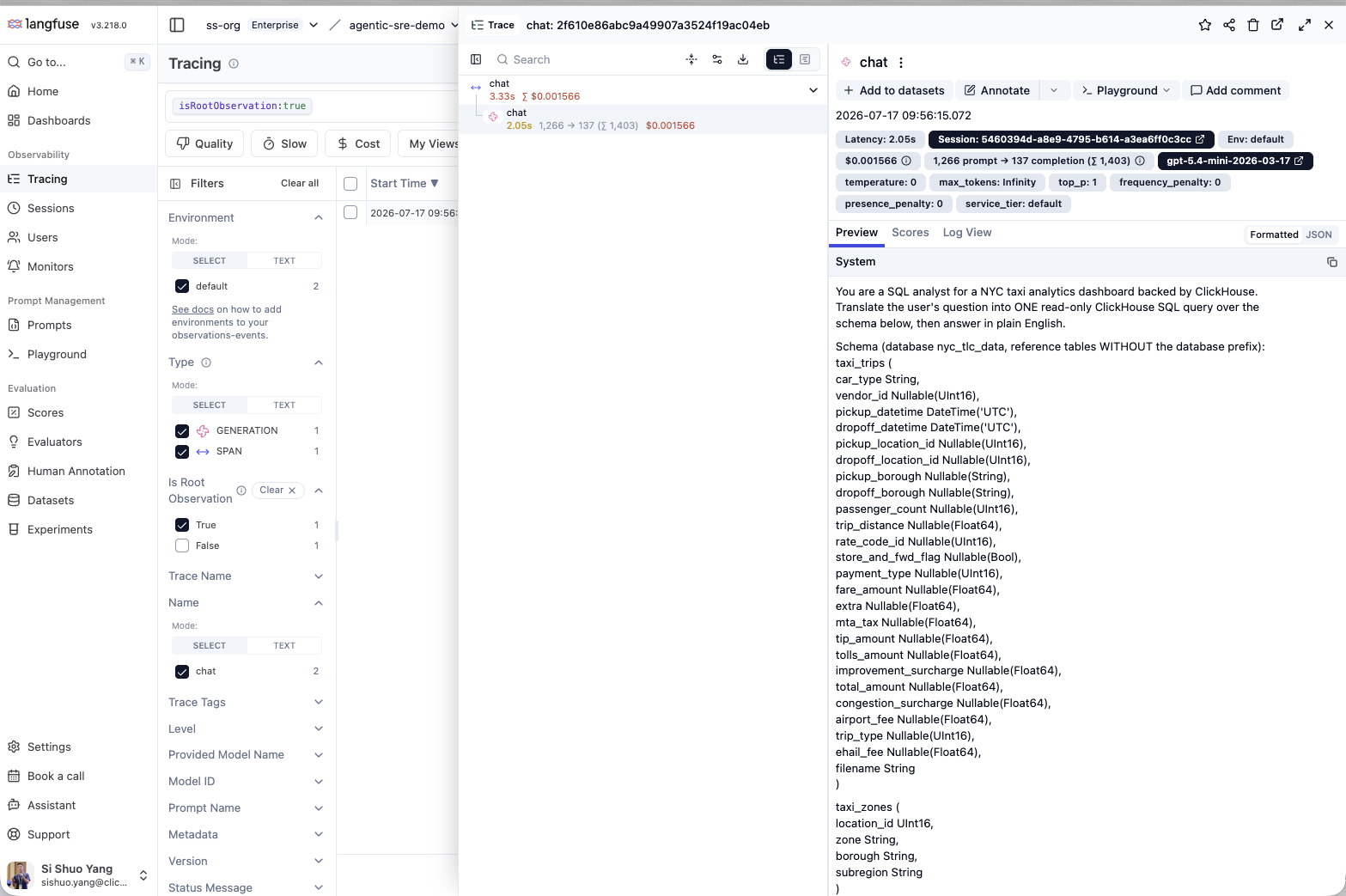
Open the Langfuse project created in Module 00 and select the newest chat trace. Match it
to your question by timestamp or input text.
Verify these fields:
- input question and generated output;
- model and latency;
- input/output token counts and cost; and
- session or conversation ID.
If no trace appears, check backend logs first:
docker compose --env-file .env.workshop \
  -f docker-compose.workshop.yml \
  -f docker-compose.otel.yml \
  logs --tail=100 backend
The common cause is a LANGFUSE_BASE_URL that does not match the project region.
Step 4 — Verify conversation grouping
Ask one follow-up question in the same chat:
For those zones, compare average fare and average tip.Langfuse should show a second traced turn under the same conversation/session.
Completion check
- The chat returns a grounded answer and visible SQL.
- Both turns appear in Langfuse.
- You can read model, latency, tokens, and cost.
- Both turns share the same conversation/session.
Continue to 09 Wrap-up.