07 Test, fail, and fix
Inject a known fault, diagnose it through ClickStack, apply a fix, and prove recovery.
Outcome
In about 20 minutes, you will run one incident from failure to verified recovery. This continues directly from Module 06 and uses the ClickStack MCP configured in Module 00.
Step 1 — Choose one fault
Start with Fault 01. Fault 02 is a second short exercise; Fault 03 needs a larger dataset to fail reliably.
| Branch | Expected failure | Rebuild |
|---|---|---|
fault/01-map-not-loading | Map polygons disappear; other cards work | frontend |
fault/02-zone-stats-500 | Zone map data fails with HTTP 500 | backend |
fault/03-slow-dashboard | Trend request times out; use only with multi-month data | backend |
Step 2 — Inject and reproduce it
The following example injects Fault 01 while preserving any local work:
cd "$(git rev-parse --show-toplevel)"
git stash push --include-untracked -m "before-module-07"
git switch build-workshop-v1
git switch fault/01-map-not-loading

cd workshops/build_workshop/app
docker compose --env-file .env.workshop \
  -f docker-compose.workshop.yml \
  -f docker-compose.otel.yml \
  up -d --build frontend
Open a fresh browser session at localhost:8080. The empty map is expected now; a failure elsewhere is not part of this scenario.
Step 3 — Diagnose from evidence
Give the agent the symptom, not the answer:
Using the clickstack MCP, investigate the current workshop failure.
Correlate frontend and backend telemetry, identify the root cause, and cite the exact
events, request, response content type, or trace that supports the conclusion.
Do not edit code yet.
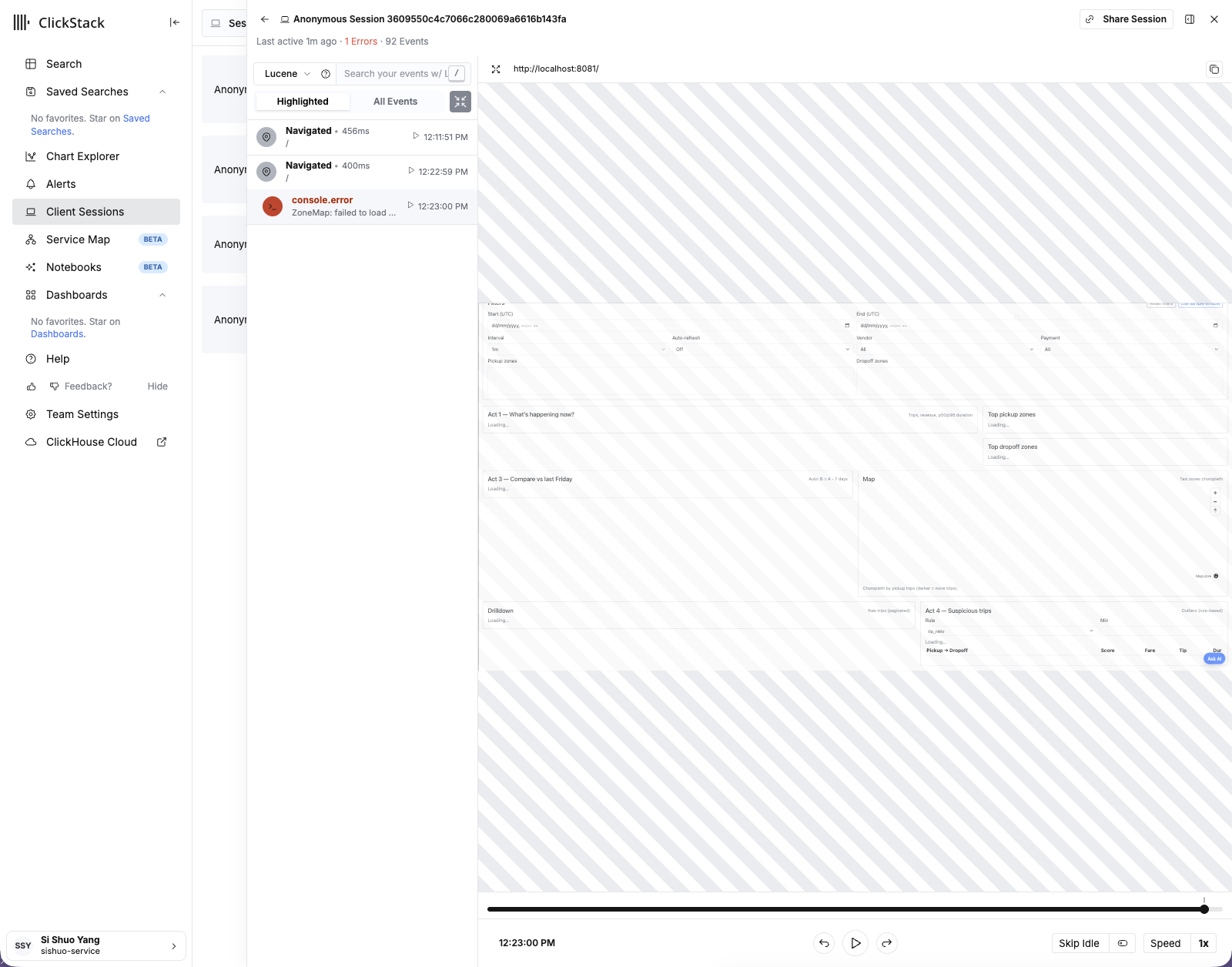
For Fault 01, inspect ClickStack → Client Sessions as well. The useful evidence is a frontend error and failed resource parse; healthy backend traces are also evidence because they narrow the blast radius.
Before fixing anything, write down:
- the failing component;
- the evidence that proves it; and
- one recovery check that would fail before the fix and pass after it.
Step 4 — Fix and rebuild
Ask the agent to make the smallest change that addresses the proven cause, then rebuild the affected service. For Fault 01:
docker compose --env-file .env.workshop \
  -f docker-compose.workshop.yml \
  -f docker-compose.otel.yml \
  up -d --build frontend
For Fault 02 or 03, replace frontend with backend.
Open a new browser session. The original symptom must be gone, and ClickStack must show no new matching error. Old incident events remain in the selected time range; compare timestamps instead of expecting history to disappear.
Step 5 — Return to the clean baseline
Preserve your attempted fix, restore build-workshop-v1, and rebuild both app services:
cd "$(git rev-parse --show-toplevel)"
git stash push --include-untracked -m "module-07-fix"
git switch build-workshop-v1

cd workshops/build_workshop/app
docker compose --env-file .env.workshop \
  -f docker-compose.workshop.yml \
  -f docker-compose.otel.yml \
  up -d --build frontend backend
Completion check
- The injected symptom appeared before the fix.
- The agent cited telemetry that proves the root cause.
- The same recovery check passes after the fix.
- A fresh session creates no new matching error.
git branch --show-currentreturnsbuild-workshop-v1.
Continue to 08 Chat and Langfuse.