03 The lazy migration
Let ClickHouse infer BigQuery's own export schema, ingest it unchanged, and see a working, unremarkable migration.
The honest first move
The most tempting thing to do with any new source is take the schema it already hands you and use it as-is. That is what this module does: no redesign, no opinions about types, nothing planted for the lab. Whatever ClickHouse infers from BigQuery's own Parquet export is exactly what gets created and loaded.
The schema: generated, not authored
The DDL below is not something anyone wrote by hand. It comes straight out of running
DESCRIBE TABLE over the bucket from module 02 and wrapping every inferred name/type pair
into a column definition -- the exact inference you already saw:
CREATE DATABASE IF NOT EXISTS bq;

CREATE TABLE bq.events_naive
(
  `event_date` Nullable(String),
  `event_timestamp` Nullable(Int64),
  `event_name` Nullable(String),
  `event_params` Array(Tuple( key Nullable(String), value Tuple( string_value Nullable(String), int_value Nullable(Int64), float_value Nullable(Float64), double_value Nullable(Float64)))),
  `event_previous_timestamp` Nullable(Int64),
  `event_value_in_usd` Nullable(Float64),
  `event_bundle_sequence_id` Nullable(Int64),
  `event_server_timestamp_offset` Nullable(Int64),
  `user_id` Nullable(String),
  `user_pseudo_id` Nullable(String),
  `privacy_info` Tuple( analytics_storage Nullable(Int64), ads_storage Nullable(Int64), uses_transient_token Nullable(String)),
  `user_properties` Array(Tuple( key Nullable(Int64), value Tuple( string_value Nullable(Int64), int_value Nullable(Int64), float_value Nullable(Int64), double_value Nullable(Int64), set_timestamp_micros Nullable(Int64)))),
  `user_first_touch_timestamp` Nullable(Int64),
  `user_ltv` Tuple( revenue Nullable(Float64), currency Nullable(String)),
  `device` Tuple( category Nullable(String), mobile_brand_name Nullable(String), mobile_model_name Nullable(String), mobile_marketing_name Nullable(String), mobile_os_hardware_model Nullable(Int64), operating_system Nullable(String), operating_system_version Nullable(String), vendor_id Nullable(Int64), advertising_id Nullable(Int64), language Nullable(String), is_limited_ad_tracking Nullable(String), time_zone_offset_seconds Nullable(Int64), web_info Tuple( browser Nullable(String), browser_version Nullable(String))),
  `geo` Tuple( continent Nullable(String), sub_continent Nullable(String), country Nullable(String), region Nullable(String), city Nullable(String), metro Nullable(String)),
  `app_info` Tuple( id Nullable(String), version Nullable(String), install_store Nullable(String), firebase_app_id Nullable(String), install_source Nullable(String)),
  `traffic_source` Tuple( medium Nullable(String), name Nullable(String), source Nullable(String)),
  `stream_id` Nullable(Int64),
  `platform` Nullable(String),
  `event_dimensions` Tuple( hostname Nullable(String)),
  `ecommerce` Tuple( total_item_quantity Nullable(Int64), purchase_revenue_in_usd Nullable(Float64), purchase_revenue Nullable(Float64), refund_value_in_usd Nullable(Float64), refund_value Nullable(Float64), shipping_value_in_usd Nullable(Float64), shipping_value Nullable(Float64), tax_value_in_usd Nullable(Float64), tax_value Nullable(Float64), unique_items Nullable(Int64), transaction_id Nullable(String)),
  `items` Array(Tuple( item_id Nullable(String), item_name Nullable(String), item_brand Nullable(String), item_variant Nullable(String), item_category Nullable(String), item_category2 Nullable(String), item_category3 Nullable(String), item_category4 Nullable(String), item_category5 Nullable(String), price_in_usd Nullable(Float64), price Nullable(Float64), quantity Nullable(Int64), item_revenue_in_usd Nullable(Float64), item_revenue Nullable(Float64), item_refund_in_usd Nullable(Float64), item_refund Nullable(Float64), coupon Nullable(String), affiliation Nullable(String), location_id Nullable(String), item_list_id Nullable(String), item_list_name Nullable(String), item_list_index Nullable(String), promotion_id Nullable(String), promotion_name Nullable(String), creative_name Nullable(String), creative_slot Nullable(String)))
)
ENGINE = MergeTree
ORDER BY event_timestamp
SETTINGS allow_nullable_key = 1;
Every column is Nullable. event_date is a String, not a Date. event_timestamp is a
raw Int64 of microseconds, not a DateTime. user_properties infers as an all-Int64
tuple only because this export happens to populate that field nowhere -- that is BigQuery's
export shape and this workshop's real data, not a simplification made for the lab.
Why allow_nullable_key is not optional
Run this CREATE TABLE without that setting and it refuses outright: BigQuery's nullable
columns cannot form a sort key on their own, and event_timestamp -- the only column this
naive schema sorts on -- is Nullable(Int64) because that is what the source infers to. This
is friction a faithful, type-for-type copy runs into immediately, and it belongs to
BigQuery's schema shape, not to anything planted for this workshop.
event_date, sitting right next to it, has the opposite problem hiding inside a
non-problem: it is a String in %Y%m%d form, so min(), max(), and range comparisons on
it happen to come out right -- lexicographic order and calendar order agree for that exact
format. That is luck, not design. Any other date layout in that string would break it
silently, with no error to warn you.
Load it with ClickPipes
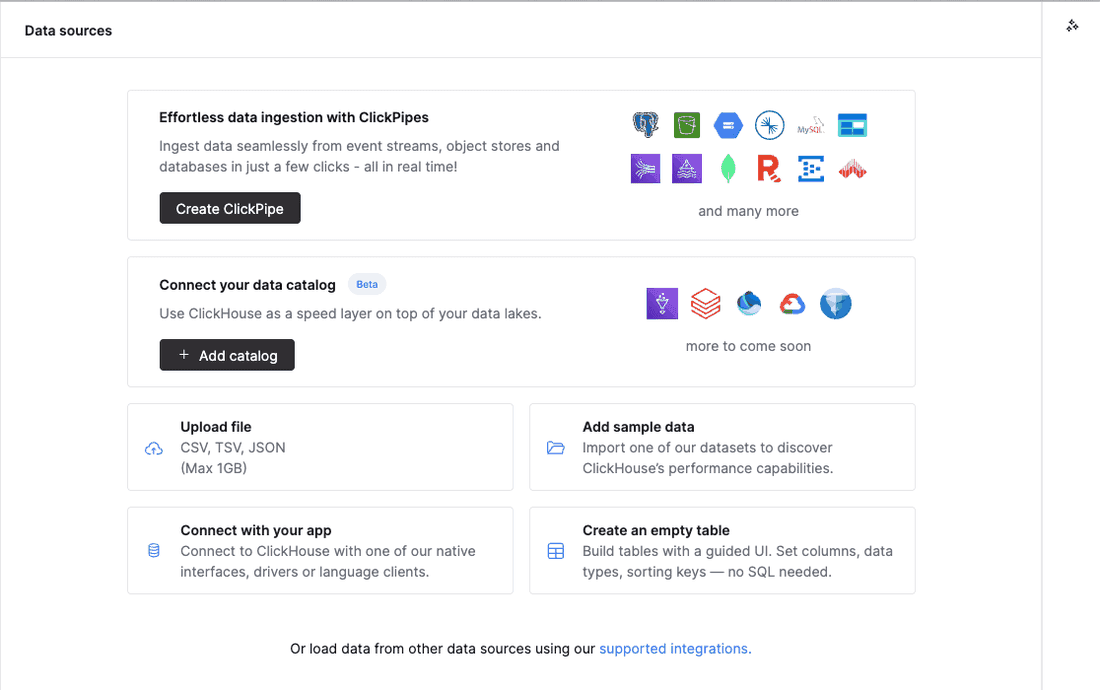
The table exists; now fill it from the same bucket module 02 read directly. In your service's console:
-
Open Data sources in the left menu, then start a new ClickPipe (labeled roughly Create ClickPipe or Set up a ClickPipe, depending on your console version).
-
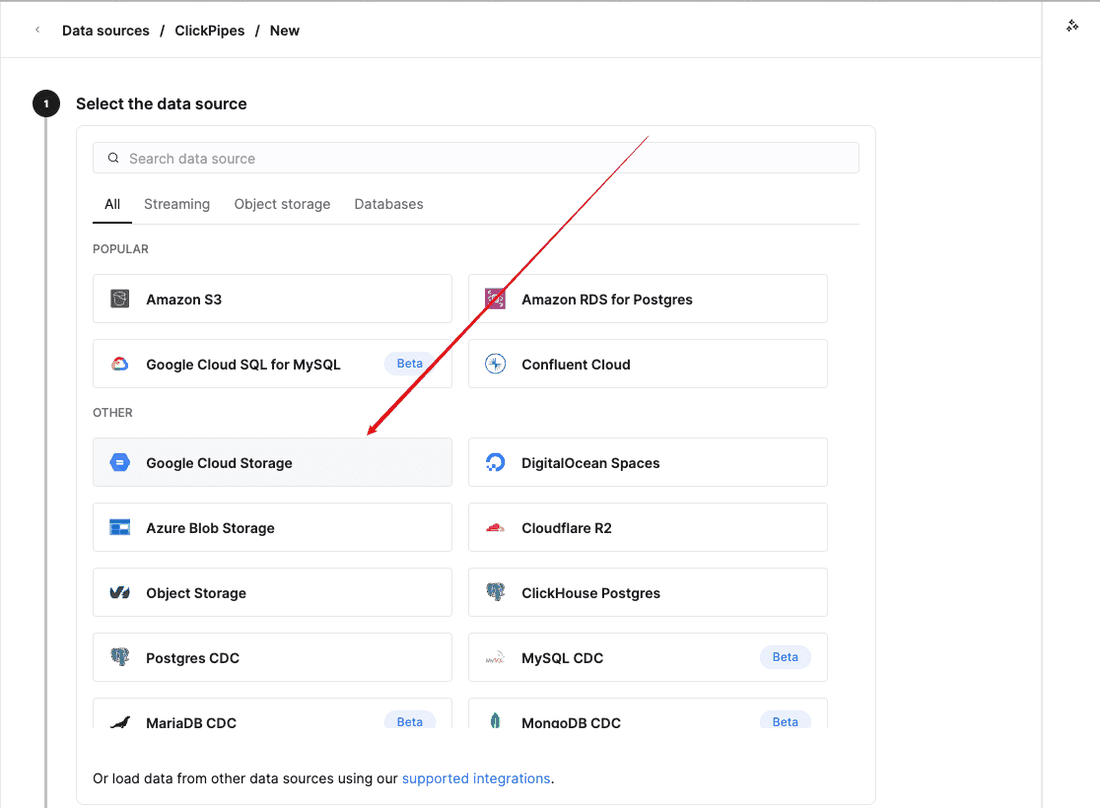
Choose Google Cloud Storage as the source.
-
Set authentication to public, no credentials -- the bucket takes anonymous reads, the same
NOSIGNyou passed togcs()in module 02 -- and paste in the path:https://storage.googleapis.com/ch-workshop-bq-migration/ga4-events/*.parquet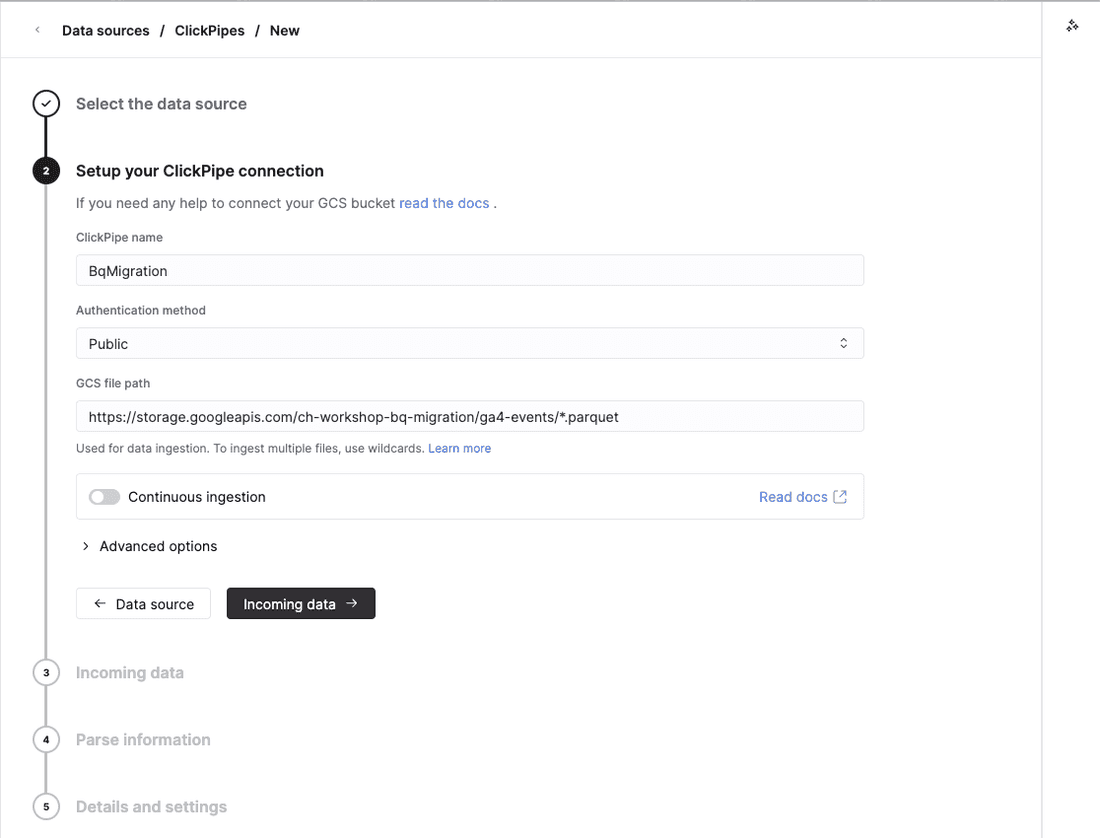
-
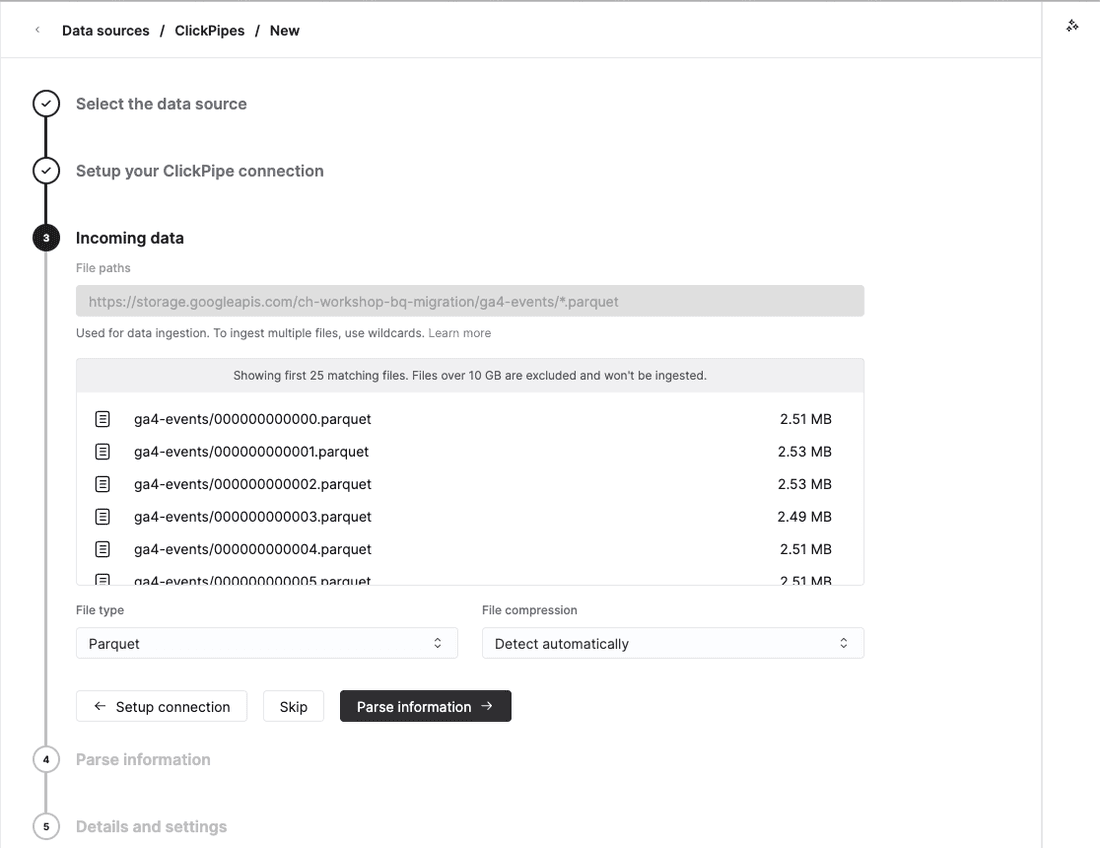
Set the file format to Parquet.
-
On the destination step, point the pipe at the table you just created,
bq.events_naive, rather than letting it create a new one. The incoming Parquet columns match it by name.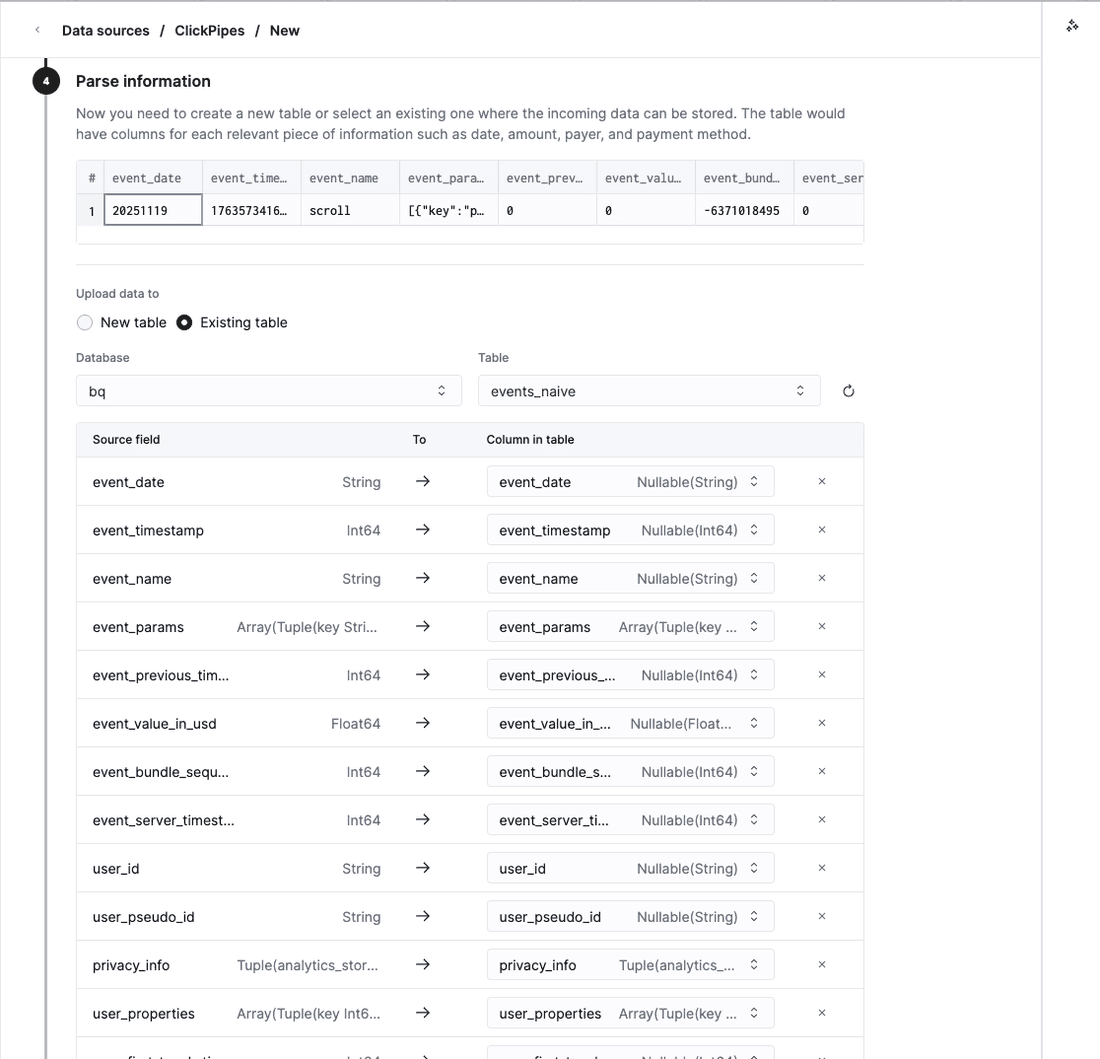
-
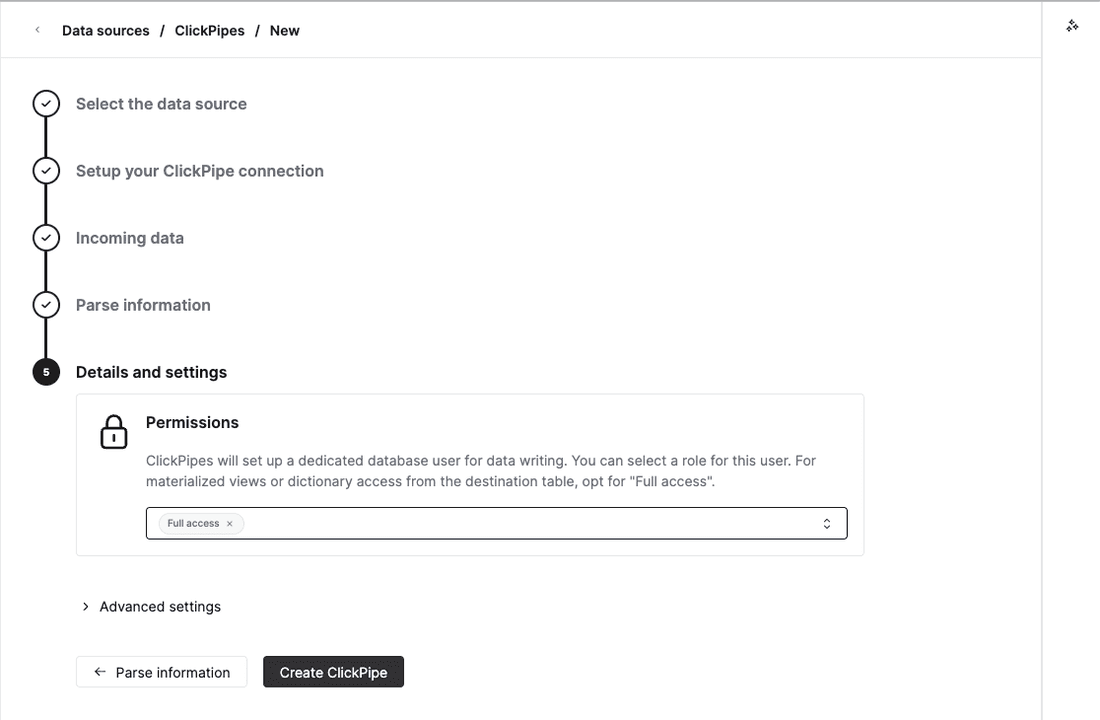
On the final step, click Create ClickPipe -- there is no separate "start" button, this both creates and starts it -- then wait for its status to turn to Completed.
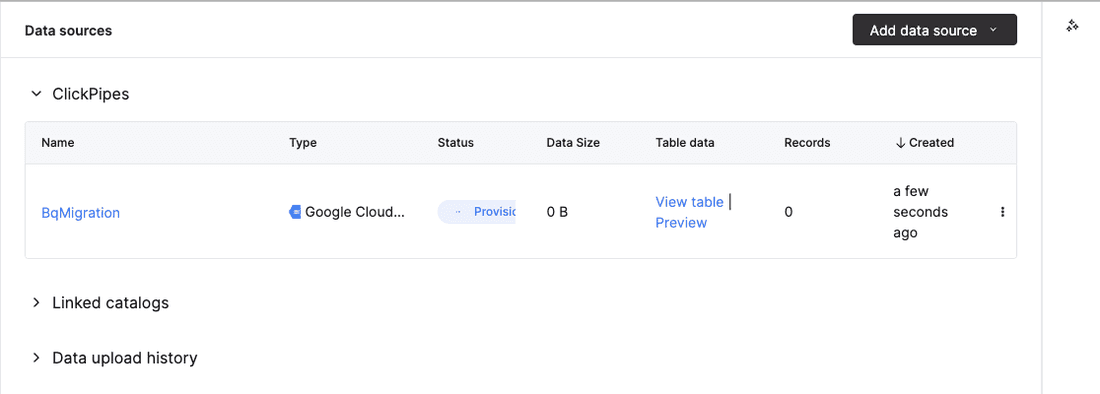
Provisioning, not Completed -- this is the pipe seconds after creation. Give it a little longer and re-check its status before moving on.
Check it landed
SELECT count() FROM bq.events_naive;Expect 4,295,584 -- the same count module 02 got reading the bucket directly, this time from a table ClickHouse owns on disk.
Run the funnel query
SELECT event_name, count() AS n
FROM bq.events_naive
WHERE event_name IN ('view_item', 'add_to_cart', 'begin_checkout', 'purchase')
GROUP BY event_name
ORDER BY n DESC;
Same four numbers as module 02, in the same ORDER BY n DESC order, because it is the same
data:
event_name | n |
|---|---|
view_item | 386,068 |
add_to_cart | 58,543 |
begin_checkout | 38,757 |
purchase | 5,692 |
What changed is where the data lives: this query reads rows ClickHouse already owns on disk instead of Parquet it has to fetch and re-parse over the network on every call. Timed on the same service as module 02's 0.178s:
The felt slowness from module 02 is gone.
Where this leaves you
This is a working migration. The table exists, it holds every row BigQuery exported, and the funnel query above returns the right answer. That is the whole module: nobody optimized anything, nobody chose a single type, and it works anyway.
It is also unremarkable, on purpose. Every column is still Nullable. The sort key is a
single Int64 timestamp with no relationship to how anyone actually queries this data. The
event_params and items columns are still nested arrays of tuples, exactly as BigQuery
exported them. None of that has cost you anything yet, because nobody has asked this table a
harder question than "how many rows." It is a working migration, and it is unremarkable --
that is the whole point of this module, not a setup for a twist.
See how big the naive table is
"Nothing has cost you anything yet" is a claim you can check. Look at what an unremarkable, un-tuned migration costs in bytes:
SELECT
  sum(data_compressed_bytes)   AS compressed_bytes,
  sum(data_uncompressed_bytes) AS uncompressed_bytes
FROM system.parts
WHERE active AND database = 'bq' AND table = 'events_naive';
Measured on a ClickHouse Cloud service while preparing this workshop -- expect your own service to land in the same neighborhood, not necessarily bit-for-bit identical:
Nobody chose a type, a codec, or a sort key to get that number -- it is whatever ClickHouse's default compression does with BigQuery's own inferred schema, on rows nobody has asked a harder question than "how many" yet. Module 04 asks you to hold the same 4,295,584 rows, with none of that information lost, in fewer bytes than this.
Done when
bq.events_naive holds 4,295,584 rows, the funnel query returns the same four numbers as
module 02, you can explain in one sentence why allow_nullable_key was required, and you have
seen how many compressed bytes the naive table costs. Continue to
04 Shrinking the table when
you are ready.
02 Query it in place
Read the GA4 export directly out of object storage with no ingestion at all, and feel why that is not how you want to run a dashboard.
04 Shrinking the table
Five concrete changes to the naive schema, run one at a time, each with the compressed-byte count that proves whether it helped.